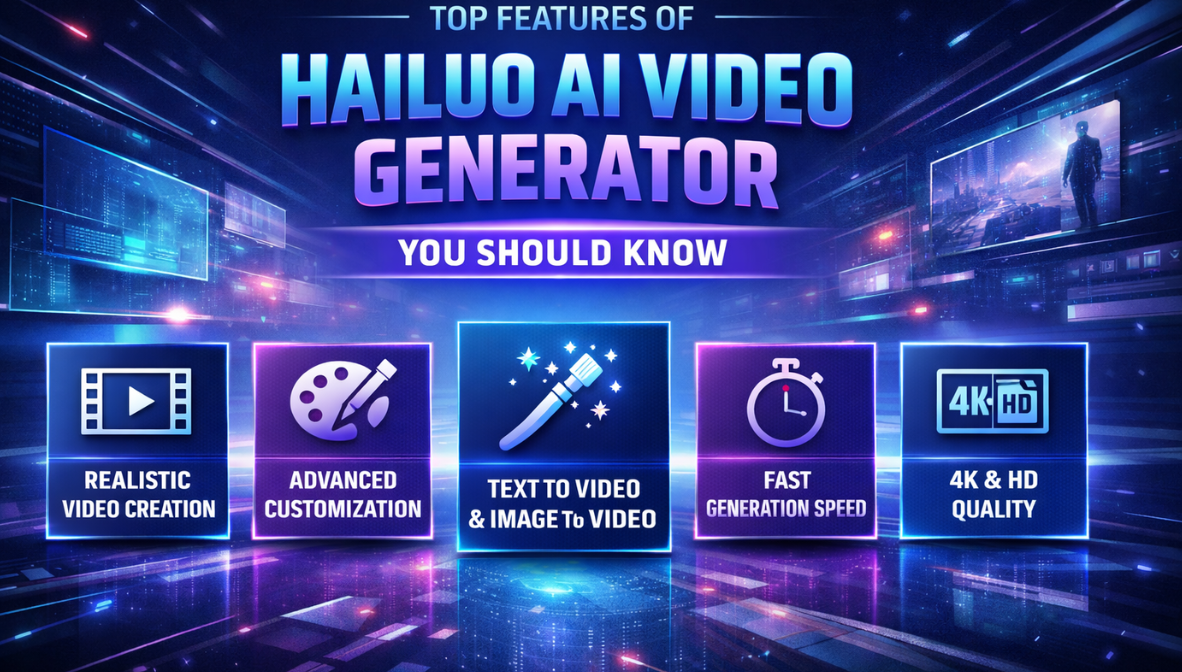
Top Features of Hailuo AI Video Generator You Should Know
The world of video creation is changing fast. What used to require expensive equipment, crews, and editing expertise can now be done with AI. Among the tools leading this evolution is Hailuo AI, an advanced AI video generation model that helps creators turn text ideas and simple prompts into dynamic video content. Whether you’re a marketer, educator, or social media creator, understanding the key features of Hailuo AI can give you an edge in producing more content with less effort.
In this article, we’ll break down the most important features that make Hailuo AI stand out, giving users a powerful, streamlined way to create AI video.
What Is Hailuo AI Video Generator?
Hailuo AI is an artificial intelligence model designed to transform text prompts into video. Instead of filming and manually editing footage, creators describe their vision in words, and the AI interprets that text into visual sequences. This approach saves time, reduces technical barriers, and allows for fast experimentation with different ideas.
With Hailuo AI, you can go from concept to video without needing advanced editing skills. It’s especially useful for creators producing content for social platforms, ad creatives, presentations, and educational videos.
Invideo: A Seamless Home for Hailuo AI
Before diving into specific features, it’s worth highlighting how invideo provides access to Hailuo AI directly within its platform. Invideo is a comprehensive video creation platform that brings together traditional editing tools with next‑gen AI models — including Hailuo.
This means you can generate AI videos, refine them, and add professional touches like text, music, transitions, and branding — all without leaving one interface. For many creators, having Hailuo AI integrated into invideo’s video editor removes tool switching and makes production faster and more efficient.
With this setup, users get the power of advanced AI generation baked into a complete video‑making workflow.
1. Text‑to‑Video Generation
One of the standout features of Hailuo AI is its ability to convert text directly into video scenes. Instead of building timelines or sourcing footage, you start with a written description of what you want to see.
For example, if you write “a calm beach sunrise with slow camera motion and soft background music,” the AI interprets this description and produces a video clip that matches your prompt — complete with movement, lighting, and visual flow.
This feature is particularly helpful for creators who:
- Have strong ideas but no video footage
- Want to experiment with visuals quickly
- Need concepts visualized before full production
Text‑to‑video generation eliminates the long planning and shooting process by taking a written concept and turning it into reality.
2. Fast Iterations with Prompt Adjustments
Another key benefit of Hailuo AI is the ability to iterate quickly. Because you’re working with text prompts, you can adjust your description and regenerate the video until you get a result that matches your creative vision.
For example, you might start with a broad prompt like “city skyline at sunset,” then refine it to something more specific like “wide cinematic shot of a neon city skyline at dusk with soft, slow zoom and ambient music.”
Each iteration delivers a slightly different result, allowing creators to fine‑tune visuals until they match the desired style or mood. This makes Hailuo AI perfect for testing multiple creative ideas without lengthy reshoots or re‑editing.
3. Emotion and Style Controls
Hailuo AI offers features that help control not just what the video shows, but how it feels. You can specify emotional cues, pacing, or stylistic elements in your prompt. This allows the AI to generate videos that are cinematic, calm, energetic, dramatic, or tailored to your audience’s emotional response.
For example:
- “High energy” might generate quick camera movement and vibrant colors
- “Calm and meditative” might result in slow pans and softer lighting
- “Dramatic mood” might use high contrast and deep shadows
These stylistic options give creators more control over the output, making AI videos feel more intentional and aligned with the story you want to tell.
4. Scene Continuity and Flow
One common issue with early AI video models was abrupt transitions or inconsistent visuals between scenes. Hailuo AI addresses this with improved scene continuity. The model considers the flow between clips and ensures that each segment transitions smoothly.
This results in videos that feel more cohesive and natural — rather than a collection of loosely connected visuals. For storytellers or brands that care about pacing and flow, this feature elevates the quality of AI‑generated videos significantly.
5. Integrated Emotion and Audio Suggestions
Hailuo AI doesn’t stop at visuals — it can also generate or suggest audio elements that complement the video. While audio options may vary by platform, the model can propose background music or emotional cues that enhance the feel of the scene.
This helps creators produce videos that are not just visually engaging, but vocally and emotionally resonant as well. Instead of sourcing music separately or guessing what sounds will fit, Hailuo AI offers suggestions that match the visual mood.
6. Multiple Output Formats
Different platforms require different aspect ratios and lengths. Hailuo AI supports generating videos that can be adapted for:
- Vertical videos (e.g., TikTok, Reels)
- Horizontal videos (e.g., YouTube, web pages)
- Square formats (e.g., Instagram feed)
This multiplatform support is essential for daily content publishers or marketers who need the same video concept adapted to multiple environments.
How Invideo Makes Hailuo AI Even Better
By integrating Hailuo AI directly into its AI video generator, invideo enhances the usability of these advanced features. Here’s how:
Unified Workflow: Instead of generating AI video in one tool and editing in another, invideo allows you to do everything in one place. You can generate a video with Hailuo AI and then polish it with invideo’s built‑in editing tools.
Text Overlays and Graphics: After generating the core video using AI prompts, you can add titles, captions, transitions, and graphics to elevate production quality.
Music and Voiceovers: Invideo’s editing suite allows you to add background music or voiceovers — including automated narration tools — without jumping between tools.
Templates and Export Options: Invideo offers a library of templates and easy export options for different platforms. This makes it simpler to publish your video once it’s complete.
This combination of Hailuo AI’s generation capabilities with invideo’s editing power is a big advantage for creators who want both automation and control.
Real‑World Use Cases for Hailuo AI
Hailuo AI’s features make it useful across a wide range of real‑world scenarios:
Marketing and Brand Videos
Create product promos, ad concepts, and campaign clips in minutes. Instead of waiting weeks for production, brands can now iterate on video concepts quickly.
Social Storytelling
Influencers and content creators can output short story videos or series clips using simple prompts, ideal for platforms like Instagram or TikTok.
Instructional and Explainer Content
Teachers and trainers can generate illustrative videos that visually support lessons or tutorials, without recording sessions.
Concept Visualization
Filmmakers or advertisers testing ideas can generate mockups or visual references to communicate concepts before full production.
Tips for Getting Better Results With Hailuo AI
While AI video generation is powerful, the quality of the output often depends on how well you communicate your vision:
Be Specific: The more detailed your text prompt, the better the AI understands what you want. Describe mood, pacing, lighting, and movement.
Use Iterative Prompts: Try multiple variations of a prompt to see different interpretations.
Combine Prompts With Editing: After AI generates your base video, use invideo’s editor to refine timing, text, and effects.
Think in Scenes: Instead of writing one long prompt, break your video into sequential scenes to maintain control over flow.
Final Thoughts
Hailuo AI is an impressive leap in video generation technology, offering a suite of features that help creators turn text ideas into engaging video content without the need for extensive technical knowledge or production experience. With features like text‑to‑video conversion, emotion control, scene continuity, multi‑format support, and automated audio suggestions, it empowers creators to produce polished videos quickly.
By integrating this capability within platforms like invideo, creators get a seamless end‑to‑end workflow — from idea and AI generation to editing and publishing. Whether you’re a marketer, educator, influencer, or storyteller, understanding these key features will help you make the most of Hailuo AI’s potential and elevate your video content with speed and creativity.