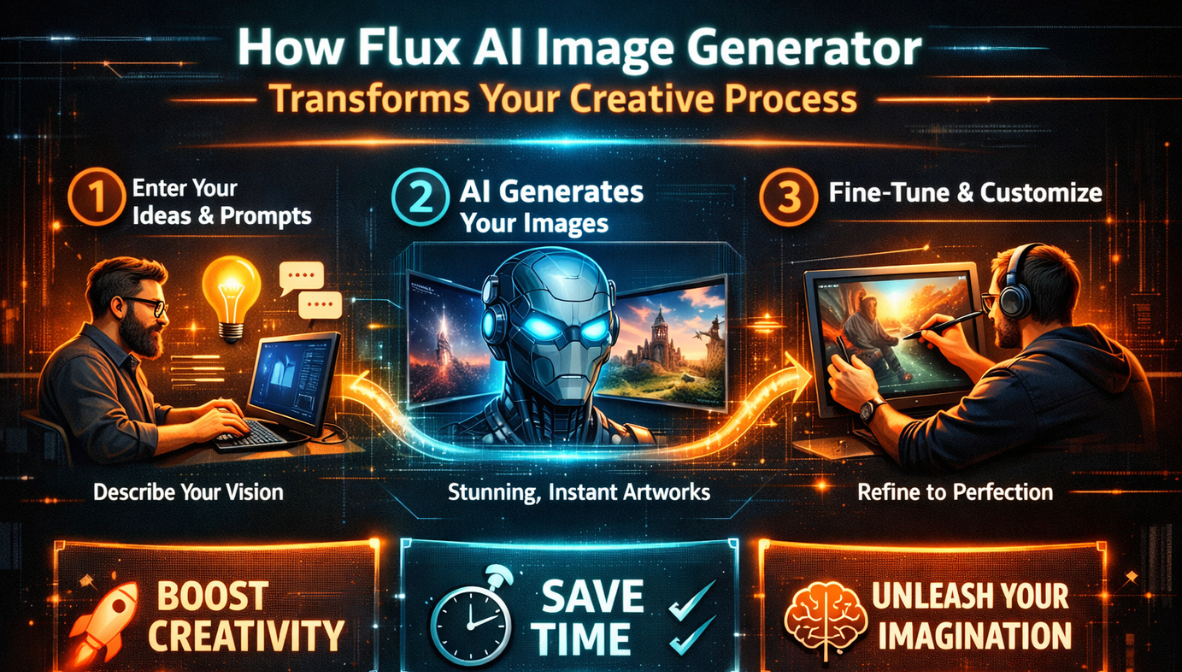
How Flux AI Image Generator Transforms Your Creative Process
Artificial intelligence is fundamentally reshaping the creative landscape, especially in the world of visual content. Among the most exciting innovations are AI image generators — tools that help users turn ideas, descriptions, or existing visuals into expressive, polished images. One of the standout families in this space is Flux AI, particularly the Flux Kontext model, which brings advanced context‑aware capabilities to image generation and editing.
Whether you’re a content creator, designer, marketer, or business owner, Flux AI image generation tools are helping simplify and elevate your visual workflow. In this article, we explore what Flux AI offers, how it transforms creative processes, and how platforms like InVideo bring these capabilities directly into the hands of everyday creators.
What Is Flux AI Image Generation?
Flux AI refers to a suite of advanced AI models, including Flux Kontext, designed to generate and edit images with high precision and visual consistency. Unlike traditional text‑to‑image generators that simply produce visuals based on prompts, Flux Kontext integrates context‑aware AI and local editing features to understand both the text direction and the visual layout of an existing image. This enables intelligent transformations that preserve key visual elements, such as character identity and scene structure, while applying stylistic or compositional changes.
This means Flux AI doesn’t just create pretty pictures — it interprets the meaning embedded in your prompt and reflects it back in image form while maintaining coherence with the original visual. Whether you’re refining an existing image or building entirely new art assets, Flux AI offers an intuitive and powerful approach to visual content creation.
The Core Features That Set Flux AI Apart
Flux AI’s strengths come from a set of features that enhance both image generation and editing:
Context‑Aware Editing
Flux AI understands the context of your input — whether it’s an existing image or a text description — and uses this awareness to make smarter visual decisions. Instead of simply replacing pixels blindly, it maintains compositional integrity and respects visual relationships in the scene.
Character Consistency
One frequent challenge in AI image generation is preserving unique elements across multiple edits or scenes. Flux AI excels at maintaining character features, styles, or object identities even when an image undergoes extensive transformation.
Precision Local Editing
Instead of having to re‑generate an entire image to adjust a single element, Flux AI lets users make targeted changes. You can specify parts of the image to edit through natural language — for example, adjusting lighting on a subject or changing a background — without affecting the rest of the composition.
These capabilities elevate Flux AI beyond simple image generation. It functions more like a creative partner, interpreting your intent and executing it with visual precision that feels less like “automation” and more like collaboration.
Flux AI in the Creative Workflow
Flux AI doesn’t just generate static visuals — it improves creative workflows in ways that cut time, spark new ideas, and increase output quality.
Rapid Prototyping
Designers often begin projects with rough idea sketches or mood boards. Flux AI can turn textual ideas into quick visual drafts, allowing multiple iterations before settling on a final design. This dramatically shortens the time between concept and visual exploration.
Creative Exploration
By offering variations and nuanced transformations, Flux AI encourages experimentation. Want to try a retro look, dramatic lighting, or a surreal aesthetic? Simple prompt adjustments can yield a range of stylistic variants without restarting from scratch.
Content Repurposing
Content creators often reuse visuals across platforms. Flux AI can adapt existing artwork to fit different visual needs — for instance, creating a stylized banner for social media from a standard product photo — while preserving essential elements of the original image.
Invideo: Bringing Flux AI to Everyday Creators
One of the most exciting developments is how Flux AI technology is now integrated into platforms like invideo, making advanced image generation and editing accessible to creators without deep technical expertise.
Invideo’s Flux Kontext feature provides a seamless interface for generating and editing images with Flux AI directly inside the platform. Users can either upload an existing photo to edit or start from scratch by describing what they want to create. The AI then produces images that align closely with the prompt, all within invideo’s creative workspace.
This means you no longer need specialized tools or separate software to produce high‑quality, context‑aware visuals. Creators can generate images — from concept art to polished promos — and immediately use them in video projects, social content, or marketing materials without leaving the platform.
How It Works in Invideo
- Select Flux Kontext — From the creative tools menu, choose Flux Kontext to start a new generation or edit.
- Upload or Describe — You can upload an image to modify or write a creative description for new content.
- Preview & Download — The AI processes your input and delivers a generated image that you can refine, preview, and download for use.
This integration simplifies workflows and significantly expands what creators can do in a single environment.
Practical Use Cases for Flux AI
Flux AI’s capabilities open the door to a wide range of practical applications for creators and businesses alike:
1. Marketing and Brand Visuals
With Flux AI, you can quickly generate campaign visuals, stylized backgrounds, or thematic imagery that elevates your brand’s visual voice without relying solely on stock photos.
2. E‑commerce Product Enhancement
For product marketers, Flux AI enables quick refinements to product images — like adjusting lighting, removing backgrounds, or creating lifestyle views — all with natural‑language prompts.
3. Social Media Content
Creators can adapt existing photos into stylized formats suitable for platforms like Instagram, TikTok, or Pinterest, helping maintain a consistent aesthetic across channels.
4. Storytelling Assets
Writers and storytellers can bring characters or scenes from a script to life, using Flux AI to visualize scenes that support narrative ideas or pitch visuals.
Tips for Effective Flux AI Usage
To get the most out of Flux AI, consider these best practices:
- Be Specific in Prompts: Clear descriptions yield better results. Include details about mood, lighting, and visual focus.
- Experiment with Variations: Small changes in wording can lead to diverse results — explore different phrasings.
- Iterate Gradually: Start with a base image or idea and refine through multiple generations instead of trying to get a perfect result in one step.
These habits help leverage the full power of context‑aware AI models like Flux.
The Future of Visual Creation With AI
AI image generation is still evolving, and Flux AI represents a major step toward more intuitive, powerful creative tools. As models become more sophisticated, we can expect even deeper understanding of visual structure, better integration with multimedia content, and quicker, more precise outputs.
Platforms that combine these capabilities with broader creative tools — like invideo — make it easier for creators of all types to access professional‑grade visuals without expensive software or advanced technical skills.
By democratizing visual creation, Flux AI and platforms like invideo are helping users focus more on ideas and storytelling — and less on manual editing.
Conclusion
Flux AI image generation is transforming creative processes by making high‑quality, context‑aware visuals faster and easier to produce. The combination of intelligent understanding, local editing precision, and character consistency makes it a powerful tool for designers, marketers, creators, and businesses. Wearable Tech Feedbuzzard
With Flux AI integrated into platforms like invideo, creators can generate and refine visuals without switching between tools or learning complex software. This seamless workflow enhances productivity, encourages experimentation, and supports higher‑quality visual content — ultimately elevating how ideas become images in the digital world.